

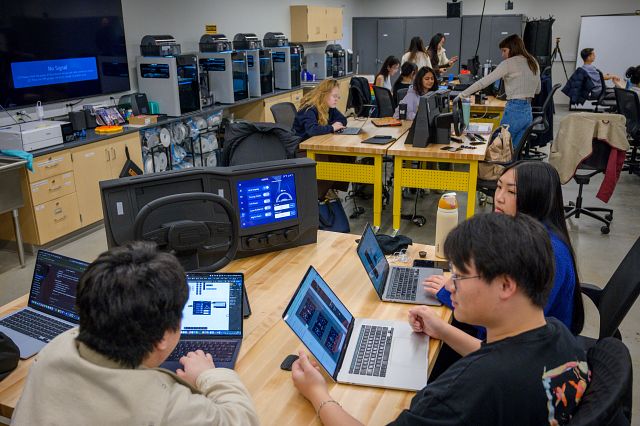
The Blessing Family Maker Lab, also known as the UMSI Maker Lab, is located at LCSIB 1305, across the hall from the CSE Maker Lab. The space is open to current UMSI students, faculty and staff members.
UMSI’s maker lab is a hybrid classroom and maker space designed for the UMSI community to learn, make and collaborate at the intersection of physical and digital design. The lab provides a wide range of creative tools for fabrication, prototyping and visualization. Whether you’re learning to 3D print, prototyping or building on skills from class, this space is designed to support hands-on learning and innovation. The maker lab is committed to supporting all specialization tracks at UMSI and fostering interdisciplinary creative growth through both academic and personal passion projects.
Ways to access the space
Drop-by Open Hours: Any member of the UMSI community is welcome during Open Hours, when a staff member is available to supervise equipment use in the space and consult on any projects. No sign up or certification is required. Open Hours are visible on the Google calendar linked in the maker lab’s Canvas site.
Get certified: For 24/7 card access to the space, UMSI students, faculty and staff can complete the certification process on Canvas. Self Serve 3D printing access is a separate certification and upon completion would be awarded $15 of free filament credit (~1 spool of filament).
Join a workshop: The maker lab hosts workshops — open to anyone in the UMSI community — on various topics to facilitate skill development, creative exploration, and supplement course work. These range from 3D modeling with AI to soldering, sticker making, and even screenless crafting.
Visit the Blessing Family Maker Lab Canvas site
The UMSI Maker Lab Canvas site is the central resource for the maker lab. Check it out to view our calendar with Open Hours and upcoming workshops, equipment guides and the certification modules. (Note: Canvas is only accessible to users with a umich.edu email.)
Questions?
Email us at [email protected].
Featured Equipment
Below are some of the specialized tools available to support coursework, portfolios and projects. A comprehensive equipment inventory is available on the UMSI Maker Lab Canvas site.
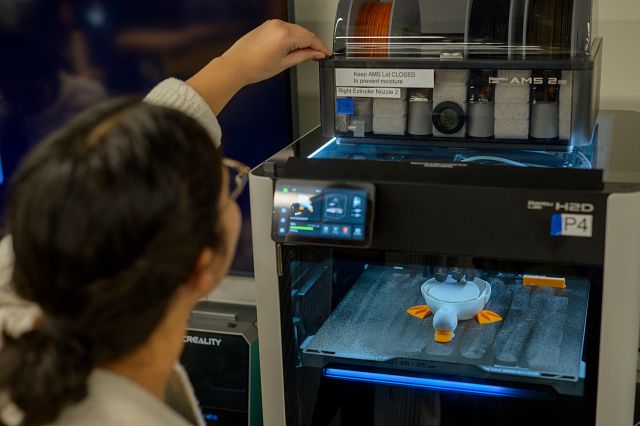
3D printing
- Bambu Lab Printers with AMS 2 Pro Units
- Multi-material/color 3D printing to prototype device enclosures, custom parts and so much more!
- Supports SI 612: Pervasive Interaction Design and SI 394: Intro to Automotive User Experience Design
- Earn $15 of filament credit for completing the 3D printing certification

IoT prototyping and soldering
- Soldering stations (x2): Weller soldering irons with soldering supplies
- Microcontrollers and sensors: Stocked with Arduinos, Raspberry Pis and various sensors/resistors to prototype interactive systems
- Supports SI 612: Pervasive Interaction Design and Computational Thinking through Making
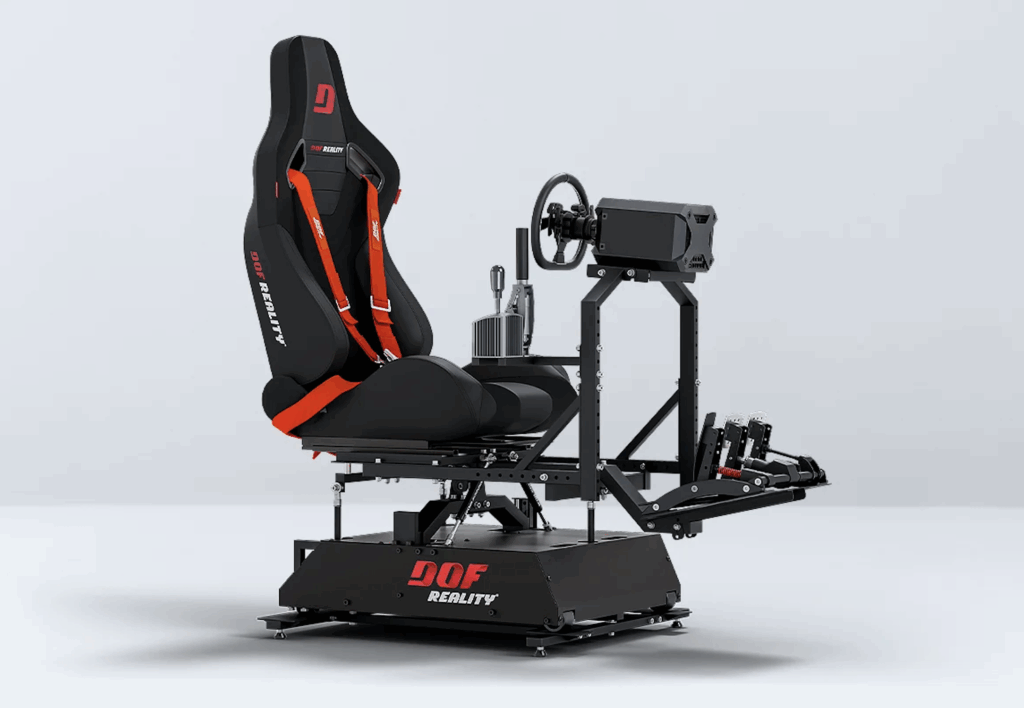
DOF H4 driving simulator
- A 4-axis motion simulator equipped with iPad mounts to hold automotive interfaces for lifelike usability testing
- Supports SI 394: Intro to Automotive User Experience Design
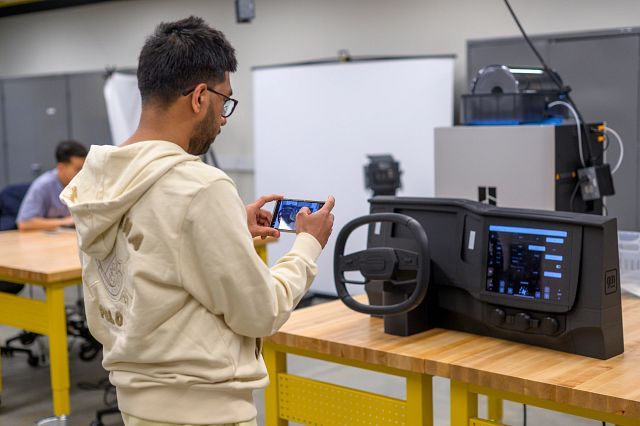
3D-printed car dashboards
- Custom-printed car dashboards with integrated iPad holders to hold Figma prototypes, allowing for quick automotive interface design testing
- Supports SI 394: Intro to Automotive User Experience Design

Digital forensics station
- Equipped with BitCurator software and plugins to extract and archive born-digital data from legacy media such as floppy disks
- Supports SI 667: Foundations of Digital Curation
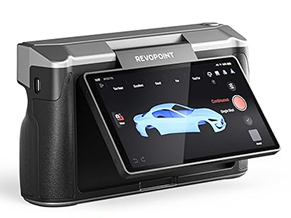
3D scanning and photography
Revopoint MIRACO 3D scanner
- Capture high-resolution 3D models of physical objects
- Ideal for reverse engineering, asset creation for AR/VR scenes and digitally preserving physical artifacts for archival collections
Photography and audio gear
- Supports project documentation and professional portfolio photography
- Nikon DSLR camera, Osmo Gimbal, audio recording devices, project projector, tripods, adjustable studio lighting and solid white/black backdrops
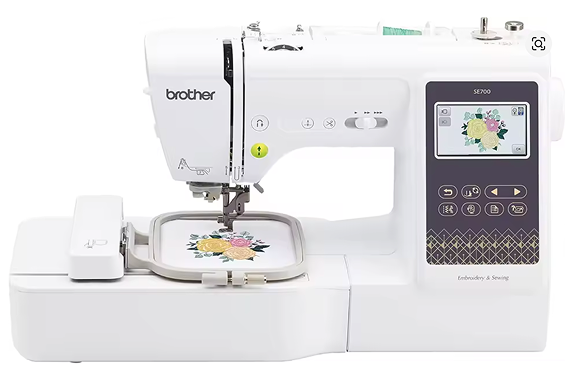
Sewing, embroidery, and conductive textiles
Brother SE700 Sewing and Embroidery Machines (x2)
- Used for sewing and programmatic embroidery
- Use them with conductive thread and LilyPad microcontrollers to prototype interactive wearable devices and E-textiles
- Supports SI 612: Pervasive Interaction Design
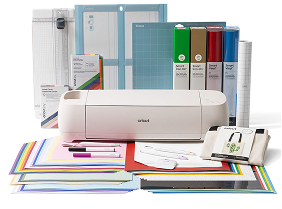
Cricut Maker 4 + Epson Inkjet Printer
- A smart cutting machine that allows you to turn your digital graphics into physical print-and-cut stickers with the inkjet, custom iron-on apparel, brand signage or rapid paper prototypes for low-fidelity user testing.
Other tools
Various hand tools, pry tools and crafting supplies
Power tools only available with staff supervision
- Dremal Stylo Rotary Tool: Use for sanding/polishing 3D-printed parts and light duty carving
- Electric drill and screwdriver
- Orbital sander
Multimedia visualization tools
- Microsoft HoloLens and Meta Quest 3 VR headsets for immersive spatial design
- Projector
- Microphones / recording devices