

The Collegian UMSI office space is accessible from 7 am to 8 pm to UMSI faculty, staff, PhD students, and non-PhD GSI students who are teaching on central campus.
If you have non-PhD, non-UMSI students or other guests meeting you in the Collegian, they will either need to call you, or starting the week of 8/25, there will be a remote card reader that will allow you to let them up the elevator. Make sure your guests are aware of this restriction.
Reporting Access Issues: If your MCard is not expired, and you are having trouble using it to access the Collegian Building, please email [email protected]. If you forget your MCard or Office Key, you will need to contact UMSI Facilities at [email protected] during normal business hours. Outside normal business hours you will need to call the DPSS non-emergency line (734)763-1131.
Requesting Help via Jira: To request help on items addressed in this document, you will need to open a ticket in Jira. You can do this by going to https://help.si.umich.edu/ (see screen shot of landing page below) or email your request to [email protected].
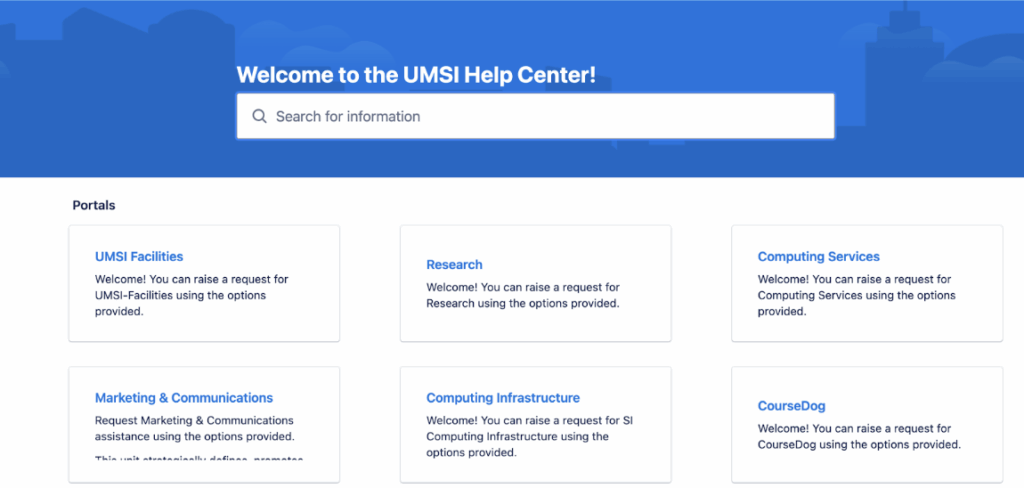
Provide as much detail in your help ticket or email as you can to assist the facilities team in identifying their next action to help resolve your facilities need or issue.
Booking a room:
Collegian rooms can be booked on Robin. We recommend bookmarking this site.
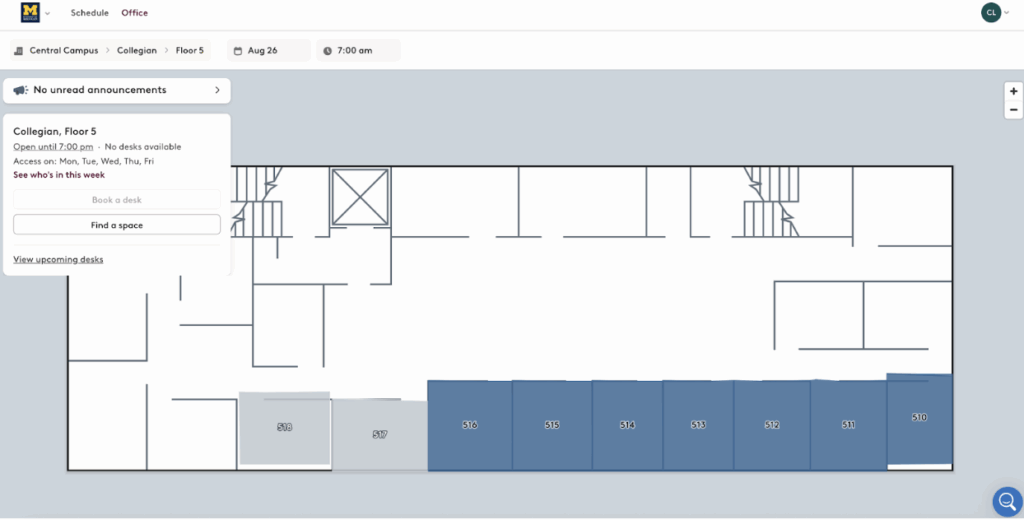
Room Booking Policies
For room booking policies, see the UMSI Room Reservation System and Space Access Policy
Facilities:
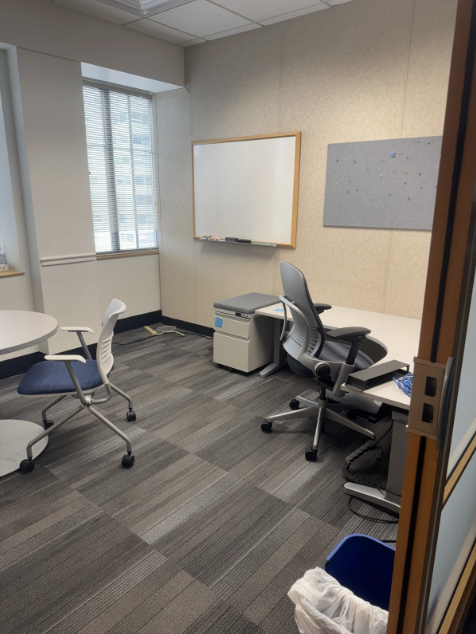
The Collegian has 13 offices (509 – 519, 521 and 522) that can be booked for time on Central Campus. Each of those offices come with a desk and often a meeting table and can accommodate 3 – 4 people. Most rooms will have whiteboards. There are also two conference rooms (508 & 524) that can accommodate 6 people available to reserve.
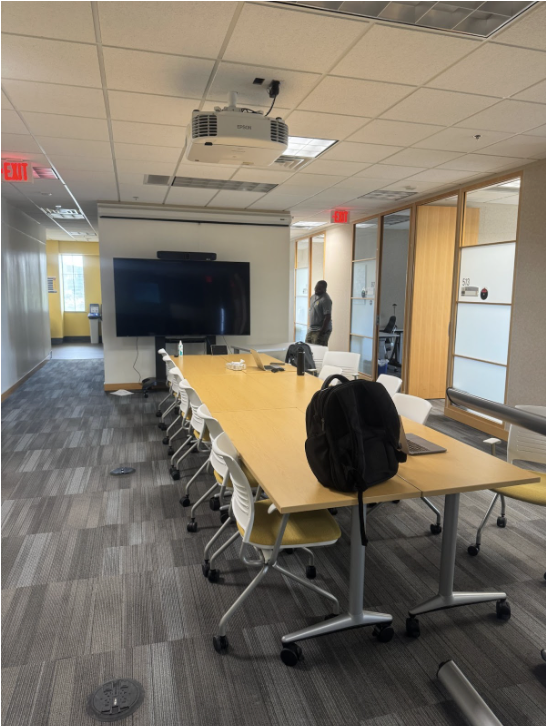
The Collegian also has a large central space that can be used for open meetings, plus some lounge seating in that area. The meeting area has access to a Zoom system for remote meetings. The picture below shows the layout for the central meeting space.
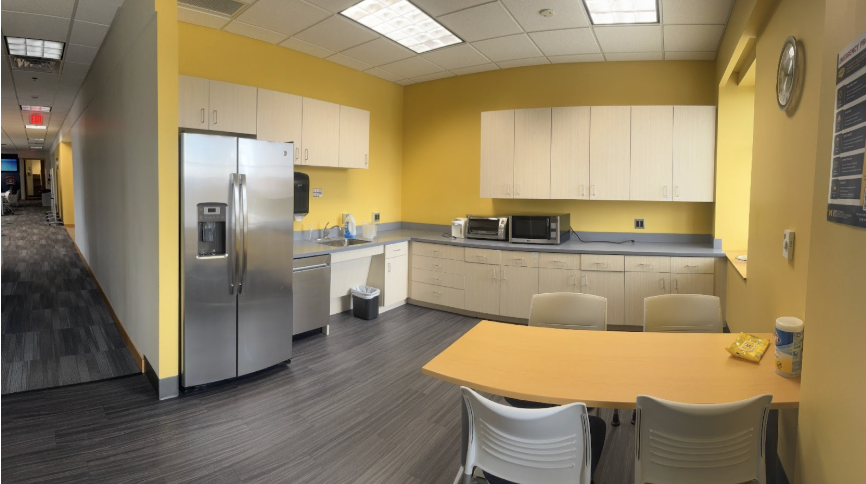
The office has two all gender bathrooms and a kitchen with a seating area, microwave and full sized refrigerator. The picture below shows that kitchen.
FAQ:
Q: Can I leave my valuable possessions here?
A: Individual offices don’t lock, but the floor is limited to UMSI teaching staff and their guests.
Q: Is there a copier in the Collegian?
A: No. As of right now, there is no printer or copier in this space.
Q: Are there other spaces on central campus that UMSI has?
A: Yes! We are also renting the space above Panera, which used to be the Engagement Center. Now it is UMSI Central, and is largely going to be used by students. But you are welcome to meet people in the open areas there as well.